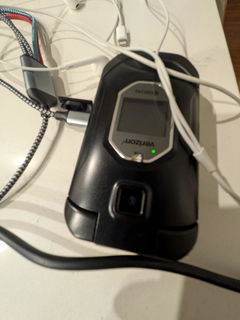
Sonim XP5 xp5700 4GB Proprietary OS Factory Unlocked 4G/LTE
The Sonim XP5 is an ultra-rugged LTE, Push-to-Talk phone with WiFi capabilities, powerful audio and long lasting battery, allowing field... Read more
SKU: 9087
$79.25
- Need Help To choose Cell Phone
- Questions? Call us 718-513-3100
- We Also Offer Local Pickup
I don't act responsibly with phones therefore I determined the best course of action is to get a phone which I can abuseI can also hear the person on the other line clearly as well ... an added benefit since I work on the construction site
It is what I expected, the only thing I had to get used to is the back arrow does not clear messages you are writing instead you have to use the C button. Not a big deal just something to get used toSonim doesnt have the nicest ringtones so I like to download custom tones, and on most phones if you go into ringtone or notification settings it will let you add a ringtone, this one does not have that option so you have to go one step further. Heres how I did it1. download the tone you want (I used zedge to download to my computer the BT it over)2. Go into Menu>Tools>File Explorer>Storage>Bluetooth there you press the options key and press copy3. Select the ringtones you want to copy and press ok4. It will ask you to sect the folder so press internal Storage>Notification OR ringtones( depending on what you want your tone to do) Press ok and it should copy to that folder5. Now if you go into your phone setting and change your ringtone the one you just copied should show upOther than that I love the phone and the predictive text is actually pretty great compared to the sonim xp3 plus